Tech Gaming Hardware discussion (& Hardware Sales) thread

I am considering getting another dog I just hated when my other dog passed of cancer at 12 years of age. I have trouble dealing with loss of a pet especially a dog due to their short life expectancy. I also live on my own in a house and my dog would likely not get the attention he or she would need in a day due to my schedule.

Yeah, I don't want another dog after this one. I'm gonna be heartbroken, but we're having some great adventures while we can. :)
 
perhaps @Madmick or someone more knowledgeable about monitors could help me out here. ive been meaning to upgrade my paltry 19" 60hz monitor for quite some time. last week i placed an order at Walmart for the ASUS TUF Gaming 27" Monitor that was on sale. For whatever reason it went out of stock and then delayed. IN my haste i said screw it at and got an Acer 32" Curved (from walmart as well. was on sale). when i went to pick it up i noticed that the Asus had been shipped. Im trying to figure out which one i should keep. I plugged in the 32" and my god is it huge. I set the refresh rate in windows to 165hz (144hz with HDMI. 165 with displayport). I know people say that 1080p gaming on 32" looks like shit but to be honest, I came from an Acer SQ200L. anything is an upgrade from that thing. I just dont know which i should keep or return. Perhaps someone who can read specs better than me could point me in the right direction. To me they both have comparable specs.

Right now this thing is wobbly as ever hell and doesnt look steady at all. beautiful as hell but wobbly.

Acer 32" ED320QR - https://www.walmart.com/ip/Acer-32-...D-LED-Gaming-Monitor-ED320QR-Sbiipx/763942438

ASUS TUF Gaming VG27VH1BR - https://www.walmart.com/ip/ASUS-TUF...-007-175f62a91740a0&athancid=null&athena=true

EDIT: I should note this is what im running ATM:

CPU: Ryzen 7 1700x
Mobo: Asus ROG-STRIX B350-F Gaming
GPU: XFX RX 580 8GB
Memory: 2x4Gb 2400Hz RipJaws
lol test them both out and keep the one you like the best.....That's the best way to do that.
 
IF the specs are accurate, keep the acer. the asus is smaller and costs more but has otherwise identical specs. of course, asus has a much better reputation.
fy49.gif


Stop trying to give tech advice.
fucking-embarrassing-beautiful.gif

perhaps @Madmick or someone more knowledgeable about monitors could help me out here. ive been meaning to upgrade my paltry 19" 60hz monitor for quite some time. last week i placed an order at Walmart for the ASUS TUF Gaming 27" Monitor that was on sale. For whatever reason it went out of stock and then delayed. IN my haste i said screw it at and got an Acer 32" Curved (from walmart as well. was on sale). when i went to pick it up i noticed that the Asus had been shipped. Im trying to figure out which one i should keep. I plugged in the 32" and my god is it huge. I set the refresh rate in windows to 165hz (144hz with HDMI. 165 with displayport). I know people say that 1080p gaming on 32" looks like shit but to be honest, I came from an Acer SQ200L. anything is an upgrade from that thing. I just dont know which i should keep or return. Perhaps someone who can read specs better than me could point me in the right direction. To me they both have comparable specs.

Right now this thing is wobbly as ever hell and doesnt look steady at all. beautiful as hell but wobbly.

Acer 32" ED320QR - https://www.walmart.com/ip/Acer-32-...D-LED-Gaming-Monitor-ED320QR-Sbiipx/763942438

ASUS TUF Gaming VG27VH1BR - https://www.walmart.com/ip/ASUS-TUF...-007-175f62a91740a0&athancid=null&athena=true

EDIT: I should note this is what im running ATM:

CPU: Ryzen 7 1700x
Mobo: Asus ROG-STRIX B350-F Gaming
GPU: XFX RX 580 8GB
Memory: 2x4Gb 2400Hz RipJaws
Acer manufacturer specs
Asus manufacturer specs

The Asus has a superior color gamut and superior pixel pitch (the latter is common with a higher pixel density). The Asus also has better built-in motion blurring and anti-flicker technology.

The Acer can output more brightness, and enjoys a better contrast ratio because of it. The Acer also has a Displayport, not just HDMI, and it supports its Freesync over that port.

Beyond that a question mark is on response time. Monitors basically never hit their MPRT quote. Both boast 1ms, but that Asus line of monitors has a reservoir of reviews showing their monitors delivering response times low enough that at lower framerates, when it's most critical, 100% of pixels are satisfying the image changeover in time to not ghost. Acer has plenty of monitors that can hit 1ms, but this one is so cheap I'm skeptically apprehensive. I couldn't find a real lab that tested it to confirm average partial & full response times. Could be monitor technology has gotten so good they can deliver reasonable response times this cheaply. Best test would be to find a game that puts you in the 40fps-60fps range, and see if you catch any ghosting.

Overall, they're close enough in spec that I think Clifford's recommendation is the most sensible one, and you should give them the eye-test. A lot of guys will bitch about the low PPI of the Acer, but I find that size usually trumps resolution itself, not just pixel density, when it comes to subjective viewing experience. So keep the one you like more, or if you like them equally, return the more expensive one. There's not such a clear winner or any hidden feature/capability you'll regret it later.

 
fy49.gif


Stop trying to give tech advice.
fucking-embarrassing-beautiful.gif


Acer manufacturer specs
Asus manufacturer specs

The Asus has a superior color gamut and superior pixel pitch (the latter is common with a higher pixel density). The Asus also has better built-in motion blurring and anti-flicker technology.

The Acer can output more brightness, and enjoys a better contrast ratio because of it. The Acer also has a Displayport, not just HDMI, and it supports its Freesync over that port.

Beyond that a question mark is on response time. Monitors basically never hit their MPRT quote. Both boast 1ms, but that Asus line of monitors has a reservoir of reviews showing their monitors delivering response times low enough that at lower framerates, when it's most critical, 100% of pixels are satisfying the image changeover in time to not ghost. Acer has plenty of monitors that can hit 1ms, but this one is so cheap I'm skeptically apprehensive. I couldn't find a real lab that tested it to confirm average partial & full response times. Could be monitor technology has gotten so good they can deliver reasonable response times this cheaply. Best test would be to find a game that puts you in the 40fps-60fps range, and see if you catch any ghosting.

Overall, they're close enough in spec that I think Clifford's recommendation is the most sensible one, and you should give them the eye-test. A lot of guys will bitch about the low PPI of the Acer, but I find that size usually trumps resolution itself, not just pixel density, when it comes to subjective viewing experience. So keep the one you like more, or if you like them equally, return the more expensive one. There's not such a clear winner or any hidden feature/capability you'll regret it later.

lolwut? what i said is true. and it's why you can't even disagree... even after a wall of bullshit about specs he doesn't care about (ie: colors), since he didn't even mention it.

ffs, he's using a 1700x. he's clearly not an illustrator.
 
lolwut? what i said is true. and it's why you can't even disagree... even after a wall of bullshit about specs he doesn't care about (ie: colors), since he didn't even mention it.

ffs, he's using a 1700x. he's clearly not an illustrator.
72439891.jpg
 

for intents and purposes, yeah. he already listed the applicable differences. the rest was basically the same or moot.

it's not like he was asking which had truer colors or a higher contrast ratio. lolz @ trying to argue that they're substantially different while telling him to do a basic eye test. like, pick one.
 
Well, the 8 core optimization in PC games is coming


IOI x Intel
November 23, 2020Hitman, HITMAN 3, News

Together with Intel, we are working to optimize the game for launch and beyond, with updates, tweaks and improvements coming throughout 2021 that will improve the experience of playing on a high-end PC and multi-core CPUs.

These optimizations include enhancing HITMAN 3 for PC players with 8+ core CPUs, for example you’ll be able to spot more crowds in Dubai or experience more complex destructibility in Dartmoor.
 
if the latter's true, there's always dogwalkers. or friend/neighbor, if applicable.

lol test them both out and keep the one you like the best.....That's the best way to do that.

fy49.gif


Stop trying to give tech advice.
fucking-embarrassing-beautiful.gif


Acer manufacturer specs
Asus manufacturer specs

The Asus has a superior color gamut and superior pixel pitch (the latter is common with a higher pixel density). The Asus also has better built-in motion blurring and anti-flicker technology.

The Acer can output more brightness, and enjoys a better contrast ratio because of it. The Acer also has a Displayport, not just HDMI, and it supports its Freesync over that port.

Beyond that a question mark is on response time. Monitors basically never hit their MPRT quote. Both boast 1ms, but that Asus line of monitors has a reservoir of reviews showing their monitors delivering response times low enough that at lower framerates, when it's most critical, 100% of pixels are satisfying the image changeover in time to not ghost. Acer has plenty of monitors that can hit 1ms, but this one is so cheap I'm skeptically apprehensive. I couldn't find a real lab that tested it to confirm average partial & full response times. Could be monitor technology has gotten so good they can deliver reasonable response times this cheaply. Best test would be to find a game that puts you in the 40fps-60fps range, and see if you catch any ghosting.

Overall, they're close enough in spec that I think Clifford's recommendation is the most sensible one, and you should give them the eye-test. A lot of guys will bitch about the low PPI of the Acer, but I find that size usually trumps resolution itself, not just pixel density, when it comes to subjective viewing experience. So keep the one you like more, or if you like them equally, return the more expensive one. There's not such a clear winner or any hidden feature/capability you'll regret it later.

lolwut? what i said is true. and it's why you can't even disagree... even after a wall of bullshit about specs he doesn't care about (ie: colors), since he didn't even mention it.

ffs, he's using a 1700x. he's clearly not an illustrator.


for intents and purposes, yeah. he already listed the applicable differences. the rest was basically the same or moot.

it's not like he was asking which had truer colors or a higher contrast ratio. lolz @ trying to argue that they're substantially different while telling him to do a basic eye test. like, pick one.

Thanks for the input guys. I decided to go with the 27". 32" was just waaaaay to big and my wife was getting headaches trying to play Phasmaphobia and surf the internet.
 
Best Buy

Recycle and save.
In store only.
Get 15% off a new modem, router or modem/router combo and Geek Squad® Home Wi-Fi Setup service when you bring in any of these devices for recycling. Simply take your old networking device to Customer Service in a Best Buy store, and you'll receive a coupon for 15% off the current price of a networking device or whole-home networking system, plus 15% off Geek Squad Home Wi-Fi Setup.
https://www.bestbuy.com/site/recycl.../pcmcat1497300657381.c?id=pcmcat1497300657381
 
Asking you knowledgeable guys.

I want a new monitor. I play games and I process photos.

I would like something strictly non-curved, 4k resolution, 120+ Hz, 29 to 34 inches, with good colors.
Do such monitors even exist? My searches were in vain.
 
Asking you knowledgeable guys.

I want a new monitor. I play games and I process photos.

I would like something strictly non-curved, 4k resolution, 120+ Hz, 29 to 34 inches, with good colors.
Do such monitors even exist? My searches were in vain.
I was going to suggest this before realising it was 27 inches...

 
Asking you knowledgeable guys.

I want a new monitor. I play games and I process photos.

I would like something strictly non-curved, 4k resolution, 120+ Hz, 29 to 34 inches, with good colors.
Do such monitors even exist? My searches were in vain.
Doesn't exist.

https://pcpartpicker.com/products/m...0,360000&sort=price&C=0&F=736600000,863600000

Remove 29-34 inches though and you get 16 products.

https://pcpartpicker.com/products/monitor/#r=384002160&D=120000,360000&sort=price&C=0
 
Asking you knowledgeable guys.

I want a new monitor. I play games and I process photos.

I would like something strictly non-curved, 4k resolution, 120+ Hz, 29 to 34 inches, with good colors.
Do such monitors even exist? My searches were in vain.

No, PCPP is incredible, but they're sometimes a bit slow on the cutting edge, especially if it's difficult (or impossible) to actually purchase anywhere, yet.
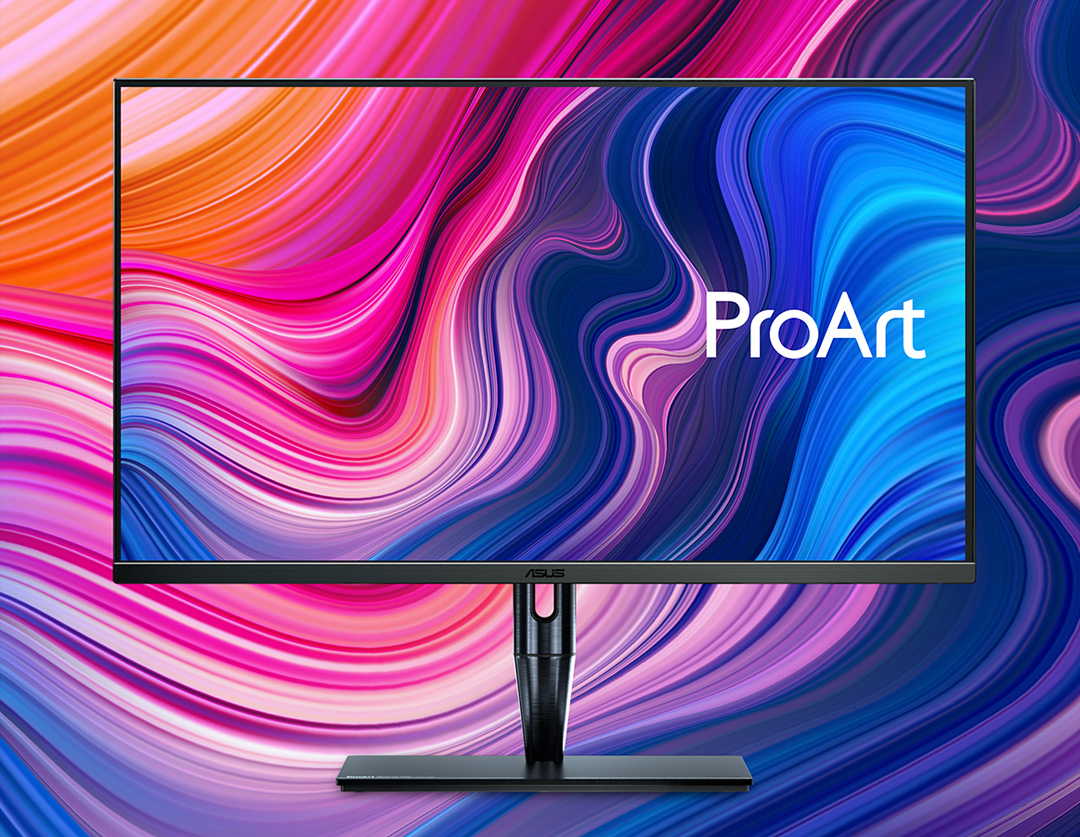
https://www.asus.com/us/Monitors/ProArt-Display-PA32UCG/
bg-header-m.jpg
 
I was going to suggest this before realising it was 27 inches...


Yep, 27" certainly do exist, but I am using a 29"screen right now and would not want to go smaller.

No, PCPP is incredible, but they're sometimes a bit slow on the cutting edge, especially if it's difficult (or impossible) to actually purchase anywhere, yet.
https://www.asus.com/us/Monitors/ProArt-Display-PA32UCG/
bg-header-m.jpg
This looks sexy. I was going to purchase a new monitor and graphics card around May 2021 so they may already appear by then. Thanks!
 
I lost it watching the recommended video in the bottom left.

{<jordan}

When the guest said he tried to sell his 2080ti for half price and the host cracked up, I absolutely lost it

My sides still hurt lol
 
You definitely don't require a budget of $2K to meet your needs though your wife's experience would probably benefit quite a bit more than a gamer's by investing a lot more of your (reserve) budget into a better monitor. For the monitor, unlike us gamers, who are more focused on motion performance, you want a monitor that is brighter with better color. Where you can find yourself spending quite a bit more is on the 4K monitors like this.

You're already on the right track. Those Dells all look great. The prebuilds are very economical for general users. There is only two irritating things about how the retailers structure the market: (1) they never want to give you really large SSDs without charging you an arm and a leg; (2) they rarely offer faster RAM kits even the cheaper motherboards could support, and they also charge an annoying amount to go above 16GB-- not that you'll need more than this.

Computer
  • CPU: i7 or i9 (9th Gen or 10th Gen); Ryzen 7 or Ryzen 9 (3xxx series or 5xxx series)
  • GPU: any; discrete GPUs are a bonus
  • SSD: definitely, preferably NVMe, and the more storage the better
  • RAM: 16GB+ (the more the better); preferably 2 x Sticks rather than 1 x Stick unless you want to buy a matching stick to install yourself to cheaply expand the RAM-- RAM is much faster running as a pair. She probably doesn't need more than 8GB, realistically, but some spreadsheets can be huge, and more is never a problem, while too little is, so it's worth it considering how cheap RAM is right now.
Monitor
  • Size: 27"+ (many think they won't like a monitor this large, but trust me, once you've had one for a month, you'll grimace when you are forced to use anything smaller-- remind yourself of the phone screen size debate of 2011 when Apple users would insist their 3.5" iPhone was the "perfect size")
  • Resolution: 1080p or higher
  • Panel Type: IPS or PLS
  • HDR?: Monitors are built on the VESA standard, not HDR10 or Dolby Vision (as you're using to seeing in TVs). The higher HDR standards here are better. This is where monitors can get really pricey.
    https://en.wikipedia.org/wiki/High-dynamic-range_video#VESA_DisplayHDR
  • Color Gamut: Look for a better color gamut if otherwise confused about which monitor to pick between several choices (whether Adobe RGB, sRGB, or NTSC)
  • Color Depth: 8-bit or better (same as above; you don't need more, but know that higher is better)
  • Refresh Rate: 60Hz+ (unlike gamers, it's not urgent to get a higher refresh rate than this; however, looking ahead, 120Hz is already becoming a standard for smartphones to record video, and flagships are already 4K@60Hz, so you might appreciate a 120Hz monitor, especially down the road)
  • VESA Mounting: not necessary, but you'll really appreciate monitors compliant with this universal standard. Opens up a wide world of adjustable monitor stands if you're not satisfied with the default factory-supplied one.

If you're a Costco member, there's a great deal on an HP Pavilion running. This is a better value than any of those Dells. In fact, it's actually a gaming-class comp thanks to the GPU. Icing on the cake:
https://www.costco.com/hp-pavilion-...geforce-gtx-1660-super.product.100579375.html
($849) HP Pavilion TG01-1167C
  • i7-10700F
  • GTX 1660 Super
  • 16GB RAM (1x16GB DDR4-2933MHz)
  • 512GB NVMe SSD + 1TB HDD ??RPM
  • Intel H470 Motherboard
  • 400W Platinum PSU
  • WiFi 5 + Bluetooth 5 (Realtek 2x2)
  • 3-in-1 SD Card Reader
  • Windows 10 Home
  • Wired Keyboard + Mouse

Alternatively, if you're a "Rewards" member at Office Depot, which doesn't cost anything, you merely have to register, you can score almost the exact same specs in a Lenovo Ideacentre plus an upgraded complementary keyboard & mouse for just $10 more. Log in to your rewards account first to start with the discounted price. Next enter the Coupon Code: 48844363 (*Click Coupon at the top of product page, add both to cart):
($860) Lenovo IdeaCentre 5i Desktop 90R80004UT [Datasheet #2]
  • i7-10700F
  • GTX 1660 Super
  • 16GB RAM (?x? DDR4-2933MHz)
  • 512GB NVMe SSD + 1TB HDD 7200RPM
  • Intel B460 Motherboard
  • 380W PSU
  • WiFi 5 + Bluetooth 5 (?x?)
  • 3-in-1 SD Card Reader
  • Windows 10 Pro
  • Logitech MK540 Wireless Keyboard & Mouse

For the monitor here is a customized Rtings table geared at you:
https://www.rtings.com/monitor/tools/table/42609

This appears to be the best option, and at a great price:
($304) Dell S2721QS 27 Inch 4K UHD (3840 x 2160) IPS Ultra-Thin Bezel Monitor, AMD FreeSync (HDMI, DisplayPort), VESA Certified, Silver

Thanks a lot for all that research, I really appreciate it. Have a great Thanksgiving
 
Back
Top