Tech Gaming Hardware discussion (& Hardware Sales) thread

Now that I've spent a few days with new system up and running, I can't say enough about how much better everything looks on screen.

I have a 3080 with an i512600k, and went with windows 11

I use it mainly on my 75 inch Q90T samsung tv.

In order to access 120 hrtz, via hdmi 2.1, I have to use the tv's gamemode. I can trick the tv to use it without doing so, but it looks so freaking good

On my other computer, 1080ti, gamemode looked like shit. Everything was washed out.

Windows HDR on the new system looks incredible now too, or at least excellent compared to the old one

Everything is so freaking crisp regardless. Movies, games, browsing etc...

What's going on here? Is it the 3080, or Windows 11? Combo of both? It's the same tv, cables, and 4k res.

Any thoughts @Madmick @jojoRed ?

Thanks for all the help with the system guys. Along with my builder, you made it easy while helping me learn a few new things. Can't appreciate it enough!

I'll take some pics once my cable management is under control, looks like a plague of wires atm lol
 
Now that I've spent a few days with new system up and running, I can't say enough about how much better everything looks on screen.

I have a 3080 with an i512600k, and went with windows 11

I use it mainly on my 75 inch Q90T samsung tv.

In order to access 120 hrtz, via hdmi 2.1, I have to use the tv's gamemode. I can trick the tv to use it without doing so, but it looks so freaking good
3
On my other computer, 1080ti, gamemode looked like shit. Everything was washed out.

Windows HDR on the new system looks incredible now too, or at least excellent compared to the old one

Everything is so freaking crisp regardless. Movies, games, browsing etc...

What's going on here? Is it the 3080, or Windows 11? Combo of both? It's the same tv, cables, and 4k res.

Any thoughts @Madmick @jojoRed ?

Thanks for all the help with the system guys. Along with my builder, you made it easy while helping me learn a few new things. Can't appreciate it enough!

I'll take some pics once my cable management is under control, looks like a plague of wires atm lol
It has to be windows. I have windows 10 and HDR looks like ass. Its washed out...

By all accounts windows 11 has much better HDR. I have a pretty decent PC with a RTX 3090 FE and my screen looks amazing when I use the PS5 HDR settings.
 
It has to be windows. I have windows 10 and HDR looks like ass. Its washed out...

By all accounts windows 11 has much better HDR. I have a pretty decent PC with a RTX 3090 FE and my screen looks amazing when I use the PS5 HDR settings.
That's right, I forgot you had that monster GPU.

HDR looks amazing when I use the tv's app for Netflix or Amazon. It finally looks really good when I use either on PC, though only on Edge

Netflix and Prime always look like shit on chrome or firefox, windows 11 or 10.

I fired up Cyberpunk last night, just to see it with RT without gimping resolution (I have a 3070 laptop) I always kept HDR off, as I could never make it look good before. Now it pops/not washed out. Even Elden Ring's HDR looks good.

I'm glad M$ made HDR viable on PC, but I dont see why they can't do the same for Win 10.
 
That's right, I forgot you had that monster GPU.

HDR looks amazing when I use the tv's app for Netflix or Amazon. It finally looks really good when I use either on PC, though only on Edge

Netflix and Prime always look like shit on chrome or firefox, windows 11 or 10.

I fired up Cyberpunk last night, just to see it with RT without gimping resolution (I have a 3070 laptop) I always kept HDR off, as I could never make it look good before. Now it pops/not washed out. Even Elden Ring's HDR looks good.

I'm glad M$ made HDR viable on PC, but I dont see why they can't do the same for Win 10.
And I use it to play old games mainly lol.

I think its probably due to the way the software works and they fixed it for Windows 11.
 
@Madmick I have an audio question.
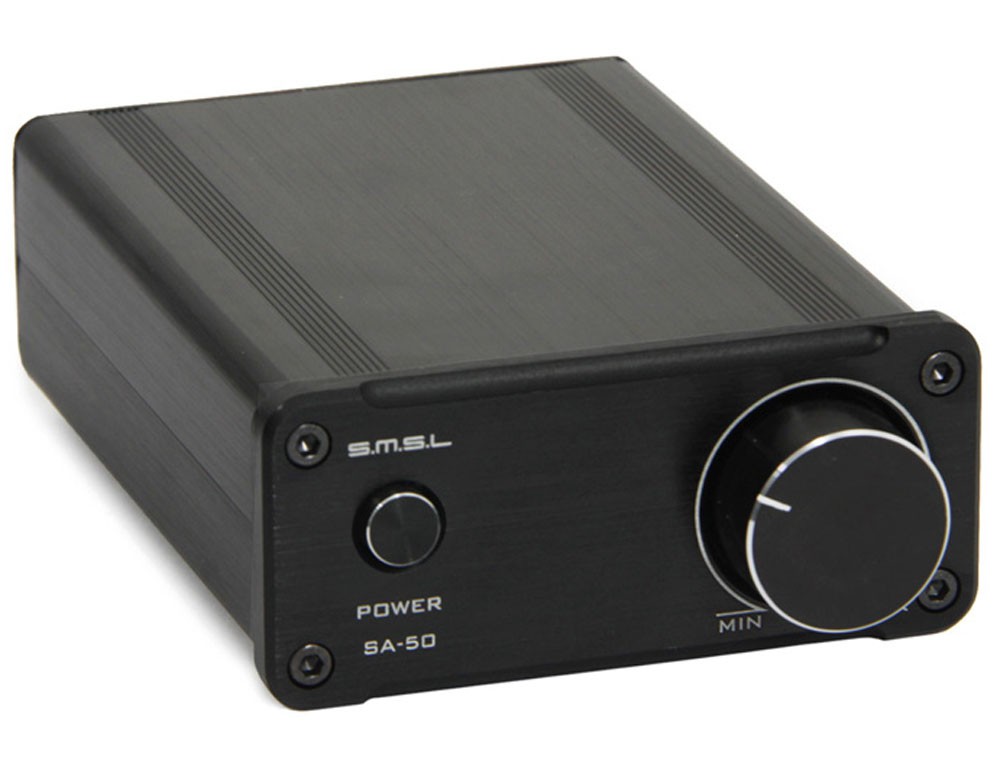
I have a Samsung UN55F6300AF and an SMSL SA50 amp.
When I connect the amp to the tv, I have to set the sound to TV out, which makes the volume control on the remote no longer work. So I have to get up and walk to the amp to manually adjust the volume.
I’ve tried a 3.5mm to an rca adapter as well as an optical to rca dac. Neither options allow volume control on the remote to work. I get a “your tv is set to use external speakers. Adjust the volume on the connected speakers directly” message.
I get the same message with an XBOX One and Fire Tv stick.
Do you have any idea on how to be able to control the volume with my remote?
Universal remote.
 
Now that I've spent a few days with new system up and running, I can't say enough about how much better everything looks on screen.

I have a 3080 with an i512600k, and went with windows 11

I use it mainly on my 75 inch Q90T samsung tv.

In order to access 120 hrtz, via hdmi 2.1, I have to use the tv's gamemode. I can trick the tv to use it without doing so, but it looks so freaking good

On my other computer, 1080ti, gamemode looked like shit. Everything was washed out.

Windows HDR on the new system looks incredible now too, or at least excellent compared to the old one

Everything is so freaking crisp regardless. Movies, games, browsing etc...

What's going on here? Is it the 3080, or Windows 11? Combo of both? It's the same tv, cables, and 4k res.

Any thoughts @Madmick @jojoRed ?

Thanks for all the help with the system guys. Along with my builder, you made it easy while helping me learn a few new things. Can't appreciate it enough!

I'll take some pics once my cable management is under control, looks like a plague of wires atm lol

I tried messing it with it once but I gave up on HDR with PC gaming. It's to complicated right now. The last time I saw you had to change settings in the nvidia control panel as well to get HDR to work properly but I don't know if that's still true or how true that even was at the time.
 
Universal remote.

I'm using a Logitech Harmony 650 remote. My amp doesn't have remote capabilities.
9979963.jpg
 
I tend to reserve speculation on market matters for this thread:
https://forums.sherdog.com/threads/intels-f.4083915/

As briefly as possible, yes, I think AMD's stock is massively overinflated, now, despite that I was the first person on this board to predict their meteoric rise years and years ago. I think that Intel is very well positioned to have a phenomenal future. I am confident in saying that. I'm not confident in a prediction of who will be in a better place five years from now, but I'm inclined to say Intel because their pockets are so deep, and they have so much more invested in first party manufacturing capacity. I do think the future of computing will focus more on greater energy efficiency, with integrated chipsets, like the M1 processors, and AMD's advantage in GPU sophistication, as well as their experience with contracts supplying such chipsets for the gaming consoles, as well as the Steam Deck, gives them an advantage there.

But semiconductors are about much more than just gaming processors which is what I tend to know intimately. Gaming is a relatively insignificant slice of the overall picture.

thank you. I appreciate the response. I will also check out and read up on the other thread.
 
Hey all. So I wanted to buy some games for my PC that I will need a controller for. Any suggestions for a good PC controller?
 
Last edited:
Hey all. So I wanted to buy some games for my PC that I will need a controller for. Any suggestions for a good PC controller?
The most recent Xbox controller. Easy choice.

It's Xinput, it's designed to integrate natively with Windows software at the OS-level in every conceivable way, like with the Share button, and it comes with Bluetooth by default. You may also purchase the Xbox Wireless Adapter ($25) separately if you want a lower-latency wireless connection (note that it works with Win11, too). Not necessary, but this method also allows you to wirelessly connect up to 8 controllers using the adapter, and for you to connect your headset directly to your controller which is nice if you don't have a wireless headset, or you're sitting far away from your PC, and find it a hassle to wire the headset directly into your PC.
($55 via Microsoft directly) https://www.xbox.com/en-US/accessories/controllers/xbox-wireless-controller

It costs more, but you can design your own controller with their Lab ($70+). This includes the option of springing for rubberized side grips and/or back grips, and a personalized engraving:
https://xboxdesignlab.xbox.com/
 
The most recent Xbox controller. Easy choice.

It's Xinput, it's designed to integrate natively with Windows software at the OS-level in every conceivable way, like with the Share button, and it comes with Bluetooth by default. You may also purchase the Xbox Wireless Adapter ($25) separately if you want a lower-latency wireless connection (note that it works with Win11, too). Not necessary, but this method also allows you to wirelessly connect up to 8 controllers using the adapter, and for you to connect your headset directly to your controller which is nice if you don't have a wireless headset, or you're sitting far away from your PC, and find it a hassle to wire the headset directly into your PC.
($55 via Microsoft directly) https://www.xbox.com/en-US/accessories/controllers/xbox-wireless-controller

It costs more, but you can design your own controller with their Lab ($70+). This includes the option of springing for rubberized side grips and/or back grips, and a personalized engraving:
https://xboxdesignlab.xbox.com/

Amazing. I'll be grabbing this tomorrow. Thank you very much.


The SVMIY Gaming PC at around 600 bucks looks pretty good with an i7 CPU and 1650 graphics they may make one with RTX level chip. Looks about as good as the Intel NUC at half the price.


The SVMIY Gaming PC at around 600 bucks looks pretty good with an i7 CPU and 1650 graphics they may make one with RTX level chip. Looks about as good as the Intel NUC at half the price.

It's the mobile versions though.
 
@Madmick Thanks for the recommendation again. It arrived yesterday and it's been seamless. Wonderful controller.

Yea I like the controller. Only thing I noticed is that if my son gets close to me with his Ipad while on Hulu it screws up the audio on my headset connected to the controller. Same if I use my phone as well.
 
Back
Top