Tech Gaming Hardware discussion (& Hardware Sales) thread

I was thinking about buying a new TV which will be used for PC gaming as well. So I was wondering if there's anything I should be looking at in terms of specifications of the TV.

Input lag, refresh rate, motion smoothness etc.. I'm just looking for basic guidlines and whether there are certain things to avoid.

I'm looking for something budget friendly. The current TV that I have is a 49" 1080p Toshiba that I bought for under $600 so i'm not very picky when it comes to image quality and i'm not worried about having the most advanced features. The only reason I want to change is to get a bigger screen. Something like a 60".

Any advice?
 
Last edited:
It's an improved color palette. Most notably you get much darker blacks and brighter whites without loss of detail. Windows 10 has it and so do some games but the implementation isn't always great (apparently), and not many affordable monitors support the brightness level that a lot of people claim is the minimum for a good HDR experience (1000 nits).

The minimum to really be considered HDR is 400 nits. My monitor can display an HDR signal but only has like 350 nits and after having played around with it I just leave HDR off.
400 nits is what is required for labeling. The minimum for "true" HDR is 1000 nits (this doesn't have to be sustained). Even the most expensive TVs are only just now hitting this mark.

@Joe_Armstrong To be a bit more specific, HDR is not just about a wider color gamut with more bit depth, but also greater color intensity and contrast thanks to the increased brightness and contrast potential of the display. The display is not just capable of outputting rich color, but it's able to put out much greater brightness on one part of the screen while staying darker in another area. That's not easy to do because it requires greater control over the source backlighting. To be more concrete, say there is an explosion in an action sequence. The screen needs to become extremely bright if only for a few moments. HDR displays are better at putting out these more extreme brightness levels for a brief period. The explosion also takes place only in the bottom right quadrant of the screen. The display is able to keep the rest of the screen darker while this part of the screen is brighter. There is greater contrast thanks to superior brightness localization. The effect is far more realistic.
I was thinking about buying a new TV which will be used for PC gaming as well. So I was wondering if there's anything I should be looking at in terms of specifications of the TV.

Input lag, refresh rate, motion smoothness etc.. I'm just looking for basic guidlines and whether there are certain things to avoid.

I'm looking for something budget friendly. The current TV that I have is a 49" 1080p Toshiba that I bought for under $600 so i'm not very picky when it comes to image quality and i'm not worried about having the most advanced features. The only reason I want to change is to get a bigger screen. Something like a 60".

Any advice?
I just assembled this custom Rtings table in another thread with columns focused on important gaming metrics.
https://www.rtings.com/tv/tools/table/39951

Rtings assigns scores it calculates from a consideration of a lot of factors. "Mixed Usage" is the all-encompassing overall score. "Gaming" and "HDR Gaming" are the overall scores for those specific desires. "Motion" factors a lot of individual measurements including a few to the right that I included which are the most interesting to gamers. So "Motion" is subsumed by the previous larger scores, but it's the larger sub-section of most interest to gamers.

The type of game you play, as has already been asked, will determine how much weight "Motion" performance will have to you. If you play games that require the best responsiveness, like competitive shooters, you'll want to more aggressively pursue TVs with the absolute lowest response times and smallest input lag. Unfortunately, those tend to be the most expensive OLED screens. However, you get what you pay for. Those are the best overall displays.
 
Seems I managed to order the 3070FE for $499 yesterday.

Hadn't really made up my mind between that and the 6800 but I think I'll keep it. Should be fine at 1440p for the next couple of years and I don't want to go through that annoying launch drama again with AMD...
Holy shit, grats! I assume you had registered with NVIDIA to be put in the order queue, and your number came up?
 
What primary game types do you play?
Most of my games are first or third person shooters such as Far Cry, Red Dead Redemption 2, GTA. But I also play other games like Skyrim, racing games, anything really.

I just don't play high paced online shooters such as COD anymore because it's too hard to be competitive using a controller. And I also understand that a TV has a higher input lag than a monitor.

Also no RTS games since they require a mouse and keyboard.
 
Last edited:
I just assembled this custom Rtings table in another thread with columns focused on important gaming metrics.
https://www.rtings.com/tv/tools/table/39951

Rtings assigns scores it calculates from a consideration of a lot of factors. "Mixed Usage" is the all-encompassing overall score. "Gaming" and "HDR Gaming" are the overall scores for those specific desires. "Motion" factors a lot of individual measurements including a few to the right that I included which are the most interesting to gamers. So "Motion" is subsumed by the previous larger scores, but it's the larger sub-section of most interest to gamers.

The type of game you play, as has already been asked, will determine how much weight "Motion" performance will have to you. If you play games that require the best responsiveness, like competitive shooters, you'll want to more aggressively pursue TVs with the absolute lowest response times and smallest input lag. Unfortunately, those tend to be the most expensive OLED screens. However, you get what you pay for. Those are the best overall displays.
Wow thanks for that link. Very informative.
 
Wow thanks for that link. Very informative.
No prob. You can ignore/dismiss the "Reflections" column if you game in a dark room, and the "Viewing Angles" column if you're not concerned about a lot of people watching the TV where some are on couches viewing from the sides.
 
400 nits is what is required for labeling. The minimum for "true" HDR is 1000 nits (this doesn't have to be sustained). Even the most expensive TVs are only just now hitting this mark.

@Joe_Armstrong To be a bit more specific, HDR is not just about a wider color gamut with more bit depth, but also greater color intensity and contrast thanks to the increased brightness and contrast potential of the display. The display is not just capable of outputting rich color, but it's able to put out much greater brightness on one part of the screen while staying darker in another area. That's not easy to do because it requires greater control over the source backlighting. To be more concrete, say there is an explosion in an action sequence. The screen needs to become extremely bright if only for a few moments. HDR displays are better at putting out these more extreme brightness levels for a brief period. The explosion also takes place only in the bottom right quadrant of the screen. The display is able to keep the rest of the screen darker while this part of the screen is brighter. There is greater contrast thanks to superior brightness localization. The effect is far more realistic.

I just assembled this custom Rtings table in another thread with columns focused on important gaming metrics.
https://www.rtings.com/tv/tools/table/39951

Rtings assigns scores it calculates from a consideration of a lot of factors. "Mixed Usage" is the all-encompassing overall score. "Gaming" and "HDR Gaming" are the overall scores for those specific desires. "Motion" factors a lot of individual measurements including a few to the right that I included which are the most interesting to gamers. So "Motion" is subsumed by the previous larger scores, but it's the larger sub-section of most interest to gamers.

The type of game you play, as has already been asked, will determine how much weight "Motion" performance will have to you. If you play games that require the best responsiveness, like competitive shooters, you'll want to more aggressively pursue TVs with the absolute lowest response times and smallest input lag. Unfortunately, those tend to be the most expensive OLED screens. However, you get what you pay for. Those are the best overall displays.

Do you consider HDR as cool plus to gaming or video,
or do you think it is just the latest thing ?
 
Do you consider HDR as cool plus to gaming or video,
or do you think it is just the latest thing ?
I think its mind-blowing when done right, which seems to be rare. Destiny 2 is one of the only games I've played that looks very different with it on and off on my 4K Samsung TV, but it looks stunning. I think its an issue of developers implementing it correctly at this point, along with having the proper display.
 
I think its mind-blowing when done right, which seems to be rare. Destiny 2 is one of the only games I've played that looks very different with it on and off on my 4K Samsung TV, but it looks stunning. I think its an issue of developers implementing it correctly at this point, along with having the proper display.

I play fifa 20 with HDR, looks good.
 
Do you consider HDR as cool plus to gaming or video,
or do you think it is just the latest thing ?
I think it's just a branding that manufacturers came up with to sell a relatively much more obscure set of specifications to the public that otherwise wouldn't be digested, and appropriately valued by buyers. It was an attempt to make these as easily understood as resolution (i.e. 1080p > 720p, isn't complicated). The superiority of HDR is quite real, and objective.
 
It's an improved color palette. Most notably you get much darker blacks and brighter whites without loss of detail. Windows 10 has it and so do some games but the implementation isn't always great (apparently), and not many affordable monitors support the brightness level that a lot of people claim is the minimum for a good HDR experience (1000 nits).

The minimum to really be considered HDR is 400 nits. My monitor can display an HDR signal but only has like 350 nits and after having played around with it I just leave HDR off.

HDR 400 in Windows is actually pretty good if you tweak/calibrate properly. It can be annoying at first to get it working properly but once you understand how to toggle it in each game and calibrate it's totally worth it.

I have an HDR 400 1440p display and I just moved recently so I decided to spring for a new TV. I had heard the same thing, that HDR 400 isn't real HDR, need HDR 1000, etc....

Got an LG CX OLED which is supposed to have the best HDR and.... while there is a noticeable difference it's not night and day between HDR 400 and what the OLED can do. Yes, the OLED is clearer and richer and nicer but for the price I paid for my monitor, HDR 400 isnt bad at all.. For the color richness its quite nice.
 
HDR 400 in Windows is actually pretty good if you tweak/calibrate properly. It can be annoying at first to get it working properly but once you understand how to toggle it in each game and calibrate it's totally worth it.

I have an HDR 400 1440p display and I just moved recently so I decided to spring for a new TV. I had heard the same thing, that HDR 400 isn't real HDR, need HDR 1000, etc....

Got an LG CX OLED which is supposed to have the best HDR and.... while there is a noticeable difference it's not night and day between HDR 400 and what the OLED can do. Yes, the OLED is clearer and richer and nicer but for the price I paid for my monitor, HDR 400 isnt bad at all.. For the color richness its quite nice.
It's all a spectrum which is why there are different HDR standards and gradings, but the baseline until now for HDR mastered video's absolute values is 1000 nits which is why that figure is so often cited. A key difference between HDR and non-HDR is that HDR maintains true color output above a certain brightness limit-- it doesn't just default to pure whites. A great write-up from another forum:
https://hardforum.com/threads/hdr-1000-nits-vs-400-nits.1977737/#post-1044102541
elvn on Hardforum said:
HDR is not like regular SDR brightness. It adds full color into a much higher range on light sources and bright highlights dynamically throughout a scene where the rest of the scene falls more in the SDR range. When a regular display reaches it's brightness limit, it clips to white at a peak luminance instead of showing that color through the higher brightness color range dynamically. So HDR color volume increases is nothing like turning the brightness up on a SDR monitor. In fact, true HDR uses absolute values which you don't change the brightness of manually at all while SDR uses relative values where you can move the entire contents of the narrow color brightness volume band up and down in the OSD.

SDR color gamut:


HDR color volume:


OLED are great but in order to avoid burning in they are locked down to lower color brightness levels in regard to HDR. An OLED can be calibrated at 400nit color, after that, their use of an added white subpixel (WRGB instead of just RGB), pollutes the color space "cheating" higher brightness readings using the white subpixels. In addition to that, OLEDs use ABL (auto brightness limiter) as a safety reflex to avoid burning in. ABL cuts the HDR color brightness down to 600nit. Since SDR is around 350nit before is clips to white at it's limit, that means an OLED showing HDR 1000, 4000, or 10,000 content will show something like a 350nit SDR range of a scene + 250nit of white polluted HDR color highlights and sources.

======

HDR not being ubiquitous right now I'd say OLED is a great picture for right now since most content, gaming content in particular, is still SDR. I just wouldn't get one expecting much of even fractional HDR 1000, 4000, or 10,000 color volume. This is because OLED is like 350nit SDR + 250 nit white pixel mixed color volume at 600nit ABL limits to avoid burn in.

So 600nit OLED is something like
350nit SDR color + 250 higher nit color* capability
(*white pixeled and varying - reflexively toned down from higher than 600 peak back to 600 via ABL)

1000nit is SDR +650 greater color volume capability

1800nit is SDR + 1450 greater color volume height capability

2900nit is SDR + 2550 greater color volume height capability

------------------------------------------

Some tvs like samsung Q9FN can do 1800 ~ 2000 nit color volume with a 480zone FALD array of backlights - but you get bloom/dim offset of FALD and while they are 19,000:1 contrast they aren't like oled esp concerning FALD offsets.

So you get either one of these trade-offs on a OLED or FALD display in regard to HDR:


Furthermore, if you look at the VESA standards for monitors you can see the summaries themselves reflect material differences in what displays can support from an HDR source video. The color gamut, black levels, and bit-depths for HDR400 are all completely different than HDR500 and above (which is why some are now saying HDR500 is the minimum for a genuine HDR experience).
https://displayhdr.org/#tab-600
 
Holy shit, grats! I assume you had registered with NVIDIA to be put in the order queue, and your number came up?

No, I'm in Germany and after the terrible 3080/3090 launch Nvidia let a different store handle the 3070 here. It went just as bad though, stock immediately gone and shop errors all day.
I just kept it open on the side while working and tried every now and then.

Guess I just got really lucky, but it seems the stock was a little better this time. I've read from like 10 people who got the 3070FE as opposed to 0 people with the 3080FE.
 
It's all a spectrum which is why there are different HDR standards and gradings, but the baseline until now for HDR mastered video's absolute values is 1000 nits which is why that figure is so often cited. A key difference between HDR and non-HDR is that HDR maintains true color output above a certain brightness limit-- it doesn't just default to pure whites. A great write-up from another forum:
https://hardforum.com/threads/hdr-1000-nits-vs-400-nits.1977737/#post-1044102541

Furthermore, if you look at the VESA standards for monitors you can see the summaries themselves reflect material differences in what displays can support from an HDR source video. The color gamut, black levels, and bit-depths for HDR400 are all completely different than HDR500 and above (which is why some are now saying HDR500 is the minimum for a genuine HDR experience).
https://displayhdr.org/#tab-600

Yea I understand all that. I do quite a bit of research on my own.. but in a real world setting, for playing videogames.. I do think investing in a HDR 400 display over a SDR display is worth it if a buyer has to make a choice.

For 4k hdr video there is a more noticeable difference.. but we are talking about video games here.
 
Yea I understand all that. I do quite a bit of research on my own.. but in a real world setting, for playing videogames.. I do think investing in a HDR 400 display over a SDR display is worth it if a buyer has to make a choice.

For 4k hdr video there is a more noticeable difference.. but we are talking about video games here.
I'm not contradicting that HDR400 is superior to SDR, or worth the relatively nominal premium, I was just clarifying a semantic in response to his post. Swing himself had mentioned the 1000nits mark in his own post, so I was just following up on that. Only the more tech-curious frequent this thread, and I think most appreciate the additional edification beyond the most immediately useful buying recommendations.

HDR400 = Labeling minimum
HDR500+ (HDR600 is common) = Minimum for true HDR color values
HDR1000 = Minimum to satisfying color maintenance during peak brightness with HDR source code
 
Intel's XE graphics in a laptop was released today in a laptop.

Intel is launching its Iris Xe Max graphics in thin-and-light laptops, starting today with launches in China. They will first appear in the Acer Swift 3x, Dell Inspiron 15 7000 2-in-1 and Asus VivoBook Flip TP470. These laptops will come to the United States in the coming weeks.

Execution Units 96
Frequency 1.65GHz
Lithography 10nm Superfin
Graphics Memory Type LPDDR4x
Graphis Capacity 4GB 68 GB/s
PCI Express Gen4
Medida 2 Multi-Format Codec (MFX Engines
Number of Displays Supported 4
Graphics Features Variable rate shading, adaptive sync, Async compute (Beta)
DirectX Support 12.1
OpenGL Support 4.6
OpenCL Support 2

https://www.tomshardware.com/news/intel-xe-max-graphics-power-sharing-deep-link
 
  • Like
Reactions: PEB
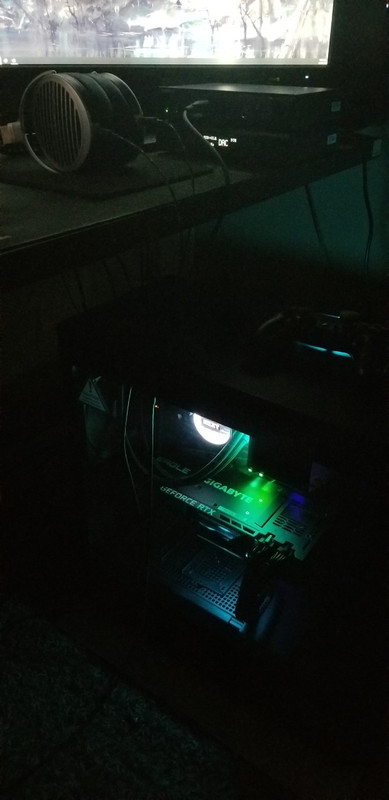
I got my 3080 a few days ago. This thing is a beast
pc3.jpg


Last edited:
Like man looking at the 3080 and 3090 performance I don't even feel cool saying I have a 1080 ti nowdays.
 
Back
Top