- Joined
- Jun 19, 2019
- Messages
- 1,845
- Reaction score
- 1,933
Do you not have Samsung Magician installed?
I do

Do you not have Samsung Magician installed?

You mean it's an external USB SSD? Because there is no such thing as a SATA USB cable. There are SATA cables and USB cables. I think you mean to convey it is a SATA-protocol drive that uses a USB cable because it is external.I had an issue earlier today. Wondering if anyone could help.
I restarted PC as one of the games wasnt responding and I was stuck at boot screen with circling dots. For hours couldnt figure out what was going on, tried different things to make it work and removing my second SSD finally helped. Now I am not sure what the issue is, SSD, motherboard socket or some driver software issue. The SSD is a 4TB samsung which I bought last year. Is there any way to check it? I ordered Sata USB cable and I will connect that SSD this way, hopefully it tells me some more? @Madmick
You mean it's an external USB SSD? Because there is no such thing as a SATA USB cable. There are SATA cables and USB cables. I think you mean to convey it is a SATA-protocol drive that uses a USB cable because it is external.
And it sounds like the game wasn't installed to the drive? Is that right? It was installed to another drive, but the mere presence of the USB drive was causing bootloop issues with the game?

You mean it's an external USB SSD? Because there is no such thing as a SATA USB cable. There are SATA cables and USB cables. I think you mean to convey it is a SATA-protocol drive that uses a USB cable because it is external.
And it sounds like the game wasn't installed to the drive? Is that right? It was installed to another drive, but the mere presence of the USB drive was causing bootloop issues with the game?

Okay, yeah, that is a SATA-to-USB cable. I was curious if that is what you meant, but I'm not sure what your plan is with that cable. Logically, I infer that you speculated the issue with the SSD might be a port issue, so you ordered this to test to see if the SATA port on your motherboard you were using for the SSD is bad, correct? But why not first try to connect that SSD to other SATA ports on the motherboard?The SSD is Evo 860 samsung 2.5 I normally slot it into the motherboard and I had it for last couple months. What I am trying to do know is to get cable like that and connect it via USB instead.
Had HWInfo not given you a readout for the drive? Also, Samsung Magician should have some health check readout.Ok looks like some severe issue with the disk, it tells me to format it so, here we go
View attachment 953884
Okay, yeah, that is a SATA-to-USB cable. I was curious if that is what you meant, but I'm not sure what your plan is with that cable. Logically, I infer that you speculated the issue with the SSD might be a port issue, so you ordered this to test to see if the SATA port on your motherboard you were using for the SSD is bad, correct? But why not first try to connect that SSD to other SATA ports on the motherboard?
Had HWInfo not given you a readout for the drive? Also, Samsung Magician should have some health check readout.
You're past that, now, Checkdisk is the big guns.
No, with a healthy drive, formatting is usually very fast, especially if you use "Quick Format", which is normal to use. Samsung's Magician and HWInfo won't tell you anything until the disk is done formatting because they won't be able to read it until then. Indeed, they have to first recognize the drive.It seems like there are some bad sectors or something. Magician isnt detecting the drive.
Do I have to format it? That 4TB beast will take ages to format
No, with a healthy drive, formatting is usually very fast, especially if you use "Quick Format", which is normal to use. Samsung's Magician and HWInfo won't tell you anything until the disk is done formatting because they won't be able to read it until then. Indeed, they have to first recognize the drive.
I would have first tried connecting the drive to a different SATA port on the motherboard, and then tried a different SATA cable to connect them. Those are common troubleshoots if a drive isn't being recognized by the OS to rule out hardware being the fault.
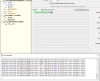
Probably nothing of your own fault. There is always a percentage of drives that fail. This is always higher with the larger drive capacities. It used to be extraordinarily high for the largest SSD sizes. It's not nearly as bad, now, but that's still one of the caveats with the the really big SSDs. They're awesome, but you run a higher risk of failure.Its SSD by the looks of it. I will play around with these repair tools then sending SSD for repair. But what could caused all these problems, any idea?
View attachment 953896
Probably nothing of your own fault. There is always a percentage of drives that fail. This is always higher with the larger drive capacities. It used to be extraordinarily high for the largest SSD sizes. It's not nearly as bad, now, but that's still one of the caveats with the the really big SSDs. They're awesome, but you run a higher risk of failure.

Check the serial number. Are you sure it's an 860 Evo and not 870? Either way, Samsung should take care of it since both have a five year warranty.I don't know who you are but you are very knowledgeable person.
My exact model
https://vi-control.net/community/threads/careful-samsung-evo-4tb-ssd-high-failure-rates.119596/

12/13.When's the release date for the AMD 7900 XTX?
Their own 5800X3D will be around $300 this weekend.It's looking like AMD is going to have swallow their egos a bit with the pricing on Ryzen 7000 aka Zen 4. This is a sign sales aren't going too well against Intel 13th Gen competition.
AMD Ryzen 7000 gets a major price cut on Newegg, Ryzen 9 7950X now at $574
- Ryzen 9 7950X $573.99 (previously $699, -18.0%) [i9-13900K = $589]
- Ryzen 9 7900X $473.99 (previously $549, -13.8%)
- Ryzen 7 7700X $348.99 (previously $399, -12.8%) [i7-13700K = $409]
- Ryzen 5 7600X $248.99 (previously $299, -17.0%) [i5-13600K = $319]
Corsair, Crucial, Gskill, Patriot, Team. Whatever is cheapest in relation to latency.I'm going to be rebuilding both my pc's, it's long past time. My power supplies are set and my motherboards, cases, and cpu's are picked out, any recs on RAM manufacturers for DDR5 6400?