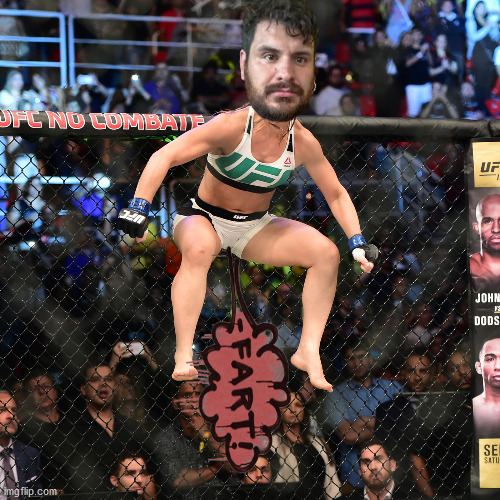
LOL. See, this is what I meant when I said the high level shoops make me feel like mine are crappy. Not that they are, just that this is high level. Like you said, I have good shoop fundamentals. I just lack up to date software. I can't imagine how long this took, though. I like the lighting effects, and the way you curved upwards on the water layer on the left, in order to give more depth to the gif. I think layering skills are super important to good shooping.
A lot of it is time and practice. Well most of it is time and practice. However, some of it is the tools you use. I used After Effects for that gif and it was a few minutes, maybe 20, to make that from starting it to posting it. AE has "tracking" which means you can select the head of the person in the source gif/video which in this case was Charley Sheen. AE will "track" the movements of Charley's head (which takes a few seconds) and you can apply that to Rebelfett's head" (in one click . In other words you set AE to "Track Charley Sheen's head, and apply that movement to
@Rebelfett".
It is much easier to mask things in AE, and to apply lighting/coloring affects. For example I can have Reblefett's head dark on frame 10, lighter on frame 11, and dark again on 12. This is all done with 1 "Rebelfett head" and not multiple ones. Or I can "tween" a lighting effect and have it dark on 10, get gradually lighter to frame 13, and get gradually darker to 15. I used a simple "Brightness" adjustment to do that, but of course you have other tools to do it too. (note that I rarely use "brightness" but foe w/e reason that's what i used. "Curves" is my preferred method.) Don't let
@Arqueto know I used brightness or he is gonna come in here and give me a lecture on how Curves is better.

Another thing is that after I save that project, later on I can swap heads with BJ Penn or whoever, and have a new gif in minutes. It will have all the masks, lighting effects, movements etc, from the original.
I've told people many times that you can learn to shoop in 5 minutes. Slap a head on something and BAM!! you are shooping. However, to "get good", you are going to need time, patience, and dedication. You are your main limitation. (Not you personally. Just you as in "anyone".)