- Joined
- Jun 13, 2005
- Messages
- 66,575
- Reaction score
- 38,452
*Skip to post #3 if you want a more consumer-friendly guide to your current options. This post is meant to be comprehensive*https://en.wikipedia.org/wiki/Comparison_of_digital_media_players
Wikipedia Comparison of Digital Media Players
Pick the Right Kodi Box (updated February 2017)
Slate Cord Cutting Calculator (is Cutting Cable Cheaper for You?)
8 Things I Wish I Knew Before Building My First HTPC
HTPCs (Ready-to-Go Streaming Media Players)
Android TV
Operating System: Android TV (GUI-optimized Android version for Media Browsing)
Chinese Pre-Loaded “Piracy” Boxes*
Note: Like many other products on the market, simply because these come configured with the potential for piracy doesn't mean they will be used for that, but please refrain from discussing the precise methods for piracy in this thread. I include these because they offer the best hardware bang-for-your-buck on the market that also aren't on restrictive operating systems.
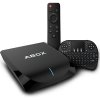
These are glorified Raspberry Pi's. The great difference is that these usually come with custom firmware (sometimes with root access) and Kodi/XBMC pre-loaded with a pre-configuration of add-on "channels" and settings. They tend to come with 8GB-16GB of onboard storage with 1GB-2GB of RAM. Most are encased in a boxed chassis, and accessories often include a manual, a power cable, HDMI cable, and a remote. The more expensive models often include additional USB ports & other inputs. Users also often purchase cheap $13-$25 mini wireless keyboards to help utilize these devices.
These are all rebranded Chinese-manufactured products. Only the MINIX Neo, Matricom G Box and Skystream One carry enduring brand power on the market, and appear to attempt to provide ongoing firmware support. NEXbox appears to have the ambition to add their name to this shortlist.
The Amlogic S905X and S905 chips are the most desired for running Android-based Kodi boxes even though they are not the most powerful Amlogic chipset. The newest S912 chipsets and beyond have been dropped by Kodi for official Android support (though Linux will still be supported for these chipsets, but the below products are equipped with Android eMMC modules, so understand they cannot be made to natively boot into a Linux environment). On a related note, the Kodi team also is no longer supporting Rockchip on the Android side which means you can expect an increasingly unstable experience on Amazon Fire TV and Fire Sticks if you aren’t using the Amazon-approved “MrMC” fork of Kodi. You should be aware the Kodi development team is working hard to cripple this grey market and distance themselves from streaming piracy.
Amlogic: S912 > S905X > S905 > S812 > S802 > S805
Rockchip: RK3368 > RK3288 > RK3188 > RK3168
Amazon Fire TV
Operating System: Fire OS (proprietary Android fork OS)
2nd Gen
Apple TV
Operating System: tvOS (iOS-based)
4th Gen
Google Chromebox
Operating System: ChromeOS (Linux-based)
Roku
Operating System: Roku OS (Linux-based)
TiVO
Operating System: Linux
TiVo Mini
WeTek
Operating System: Dual boot > Android / Linux (LibreELEC)
Gaming Consoles
9th Gen
Nintendo Switch (coming March 2017)
8th Gen & 8th Gen (Refresh)
Microsoft Xbox One S
Microsoft Xbox 360
Mirroring Devices
-------------------------------------------------------------------------------------------------------------------------------------------
HTPCs (Require User Software Calibration)
Apple Mac Mini
Operating System: MacOS
Mac Mini 7 (2014)
Mini PCs & WinSticks
Operating System: Windows 10
Intel Compute Sticks
-------------------------------------------------------------------------------------------------------------------------------------------
HTPCs (Require User Hardware Self-Assembly)
DIY ARM-based Motherboard Kits
Operating System: User Choice (Options May Be Limited Per Device Hardware Environment)
*Note* Linux-based LibreELEC preferred to Android for pure Kodi boxes
Raspberry Pi 3
Semi-Custom “Barebones” PC Kits
Operating System: User Choice (Windows/Linux/SteamOS/Hackintosh)
Intel NUC Kits
Add RAM/Storage/OS
Asus VivoMini
Add RAM/Storage/OS
Corsair BULLDOG
Gigabyte BRIX
Add RAM/Storage/OS
BRIX
MSI Cubi
Add RAM/Storage/OS
Cubi
Zotac Zbox
Add RAM/Storage/OS
Custom HTPCs
Operating System: User Choice (Windows/Linux/SteamOS/Hackintosh)
Tech Buyer’s Guru Self-Builder MicroATX HTPC Blueprint
Popular Peripherals
-------------------------------------------------------------------------------------------------------------------------------------------
Smart TVs
Some have baked in the operating systems developed by the above products, such as Roku, but lately television manufactures have made a point of trying to exploit their position as hardware salesmen to push their particular software & app ecosystems for these TV's.
Blu-Ray Players
Similarly, many of the (incidentally same) manufacturers of Blu-Ray players, such as Sony & Samsung, have tried baking apps and other software into their hardware since it is certainly capable of running it. As with Smart TVs above, these compete with these other streaming media devices, but due to their nature they form an entirely different market need that doesn't necessarily suit the typical consumer looking into purchasing something to expand their general entertainment options.
Tablets & Smartphones
Most tablets and smartphones can function like these devices. The reason most don't care to use them this way is because people want the entertainment center's functionality to remain intact at all times, so the irritating part is that you can’t have your phone in your hands if it’s running entertainment for the room via a physical connection to the TV. Furthermore, these devices' graphical user interfaces aren't optimized to function in this capacity. For example, the iPhones/iPads run on a different operating system than tvOS altogether (though tvOS is heavily based on iOS). Android is compatible with and comparable to the Android TV operating system, but a typical smartphone GUI isn't conducive to being navigated remotely as with a remote control, for example.
In 2017, it makes more sense to use smartphones as the ultimate “smart” remote control themselves for these other HTPC systems, since the screen is a built-in trackpad. Alternatively, one is more likely to use them as the back-end casting device that transmits your personal media stored on the phone wirelessly over the router to a receiving device: either a Smart TV or one of the many products mentioned above that is itself connected to a TV.
Network-Attached Digital TV Tuners
These are not to be confused as an HTPC because they are designed to function only as the back-end of a media server: by streaming wirelessly over a local network to some other HTPC listed here that is physically connected to the TV. On the other hand, unlike the rest of the HTPC’s listed above, with the exception of the WeTek devices, this product is designed for compatibility with cable tuner cards, so you can use them (rather than paying usurous rental fees on traditional set-top boxes) to view your traditional cable television-- presuming you have a cable subscription. Until SlingTV builds a larger library of channel services this will be one of the only alternatives to traditional set-top boxes that fully replicates that entertainment ecosystem, but also has some other HTPC-like capabilities. The most popular product of this type on the market are the HDHomeRun devices by Silicon Dust:
Silicon Dust
*Compatible with various operating systems & media server software
*Also can accommodate OTA/Cable TV
Other (Defunct) Devices
Operating System: various (including Android TV & Google TV)
None of these are recommended. Be warned that some of the below appear to have failed and fallen out of production. Others like the Slingbox are for a different market of users who want to be able to watch their cable on the go, or like HDHomeRun through a cable card which has much cheaper rental fees (virtually nothing), but have failed because all hardware can run their core software, and their own hardware firmware has become infested with ad-spamming. Rabbit TV & Mediasonic both sell devices that deliver content that was free in the first place, and the latter is a functional DVR on top of that. Meanwhile, Vizio Co-Star and Boxee Box, with distinct operating systems, appear to have failed outright. Nyrius and WD TV have also died.
SlingTV, below, is software, not hardware. It aims to legally replicate Cable and Premium television with more refined packages not fattened with content the buyer is unlikely to consume. To my knowledge it is already compatible with every single operating system and device listed above.
-------------------------------------------------------------------------------------------------------------------------------------------
SlingTV
Wikipedia Comparison of Digital Media Players
Pick the Right Kodi Box (updated February 2017)
Slate Cord Cutting Calculator (is Cutting Cable Cheaper for You?)
8 Things I Wish I Knew Before Building My First HTPC
HTPCs (Ready-to-Go Streaming Media Players)
Android TV
Operating System: Android TV (GUI-optimized Android version for Media Browsing)
Chinese Pre-Loaded “Piracy” Boxes*
Note: Like many other products on the market, simply because these come configured with the potential for piracy doesn't mean they will be used for that, but please refrain from discussing the precise methods for piracy in this thread. I include these because they offer the best hardware bang-for-your-buck on the market that also aren't on restrictive operating systems.
These are glorified Raspberry Pi's. The great difference is that these usually come with custom firmware (sometimes with root access) and Kodi/XBMC pre-loaded with a pre-configuration of add-on "channels" and settings. They tend to come with 8GB-16GB of onboard storage with 1GB-2GB of RAM. Most are encased in a boxed chassis, and accessories often include a manual, a power cable, HDMI cable, and a remote. The more expensive models often include additional USB ports & other inputs. Users also often purchase cheap $13-$25 mini wireless keyboards to help utilize these devices.
These are all rebranded Chinese-manufactured products. Only the MINIX Neo, Matricom G Box and Skystream One carry enduring brand power on the market, and appear to attempt to provide ongoing firmware support. NEXbox appears to have the ambition to add their name to this shortlist.
The Amlogic S905X and S905 chips are the most desired for running Android-based Kodi boxes even though they are not the most powerful Amlogic chipset. The newest S912 chipsets and beyond have been dropped by Kodi for official Android support (though Linux will still be supported for these chipsets, but the below products are equipped with Android eMMC modules, so understand they cannot be made to natively boot into a Linux environment). On a related note, the Kodi team also is no longer supporting Rockchip on the Android side which means you can expect an increasingly unstable experience on Amazon Fire TV and Fire Sticks if you aren’t using the Amazon-approved “MrMC” fork of Kodi. You should be aware the Kodi development team is working hard to cripple this grey market and distance themselves from streaming piracy.
Amlogic: S912 > S905X > S905 > S812 > S802 > S805
Rockchip: RK3368 > RK3288 > RK3188 > RK3168
- $37 = [Amlogic S905X] NEXbox A95X, Android 6.0 TV w/Remote
- +$18 = Rii i8 Bluetooth Mini Keyboard (#1 Amazon bestseller)
- +$22 = Rii i8 Bluetooth Mini Keyboard 2017 (adds backlighting)
- $100 = [Amlogic S812] Matricom G Box Q2, Android 5.1
- $120 = [Amlogic S905] MINIX NEO U1, Android 5.1
- or $130 for I8 Remote bundle
- or $135 for A2 Lite Mouse bundle
- $150 = [Amlogic S905] Skystream One, Android 5.1
- $200 = 16GB Shield TV + 2017 Shield Controller (Voice-Enabled) + Remote
- $300 = 500GB Shield Pro + 2017 Shield Controller (Voice-Enabled) + Remote
Amazon Fire TV
Operating System: Fire OS (proprietary Android fork OS)
2nd Gen
- $40 = Fire TV Stick + Alexa Remote
- $90 = Fire TV + Alexa Remote
- $130 = Fire TV + Fire Controller (Voice-Enabled) + 32GB MicroSD Card + 2 Games
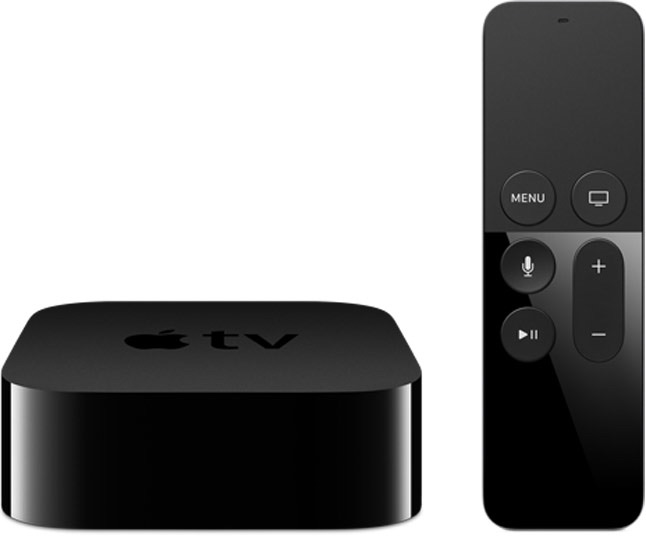
Apple TV
Operating System: tvOS (iOS-based)
4th Gen
- $141 (32GB)
- $169 (64GB)
Google Chromebox
Operating System: ChromeOS (Linux-based)
- Asus Chromebit Chromestick
- $83 = CS10 Chromestick (Rockchip 3368 + 2GB RAM +16GB eMMC)
- $111 = CS10 Chromestick + Logitech K400 Bluetooth Keyboard
- Asus Chromebox
- $155 = Normal (Intel Celeron 2955U + 2GB RAM + 16GB SSD)
- $199 = Deluxe (Intel Celeron 2955U + 4GB RAM + 16GB SSD)
- (Peripheral) $53 = Asus Chrome Wireless Keyboard + Mouse
- Acer Chromebox [includes Keyboard & Mouse]
- $147 = CXI2-2GKM (Intel Celeron 3205U + 2GB RAM + 16GB SSD)
- $198 = CXI2-4GKM (Intel Celeron 3205U + 4GB RAM + 16GB SSD)
- $404 = CXI2-i38GKM (Intel i3-5005U + 8GB RAM + 16GB SSD)
- Lenovo Thinkcentre Chromebox (10H50003US)
- $230 = Intel Celeron 3205U + 4GB RAM + 16GB SSD
Roku
Operating System: Roku OS (Linux-based)
- $30 = Roku Express (3700)
- $35 = Roku Express+ (3710)
- $40 = Roku Streaming Stick (3600R)
- $70 = Roku Premiere (4620)
- $90 = Roku Premiere+ (4630)
- $118 = Roku Ultra (4640)
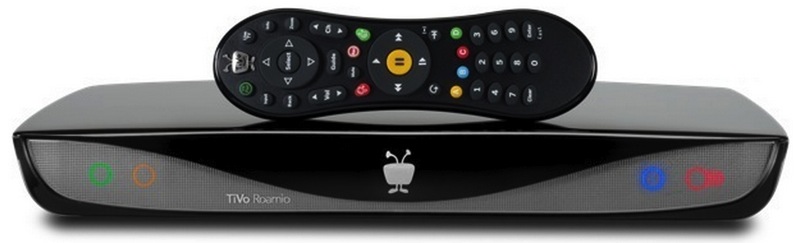
TiVO
Operating System: Linux
TiVo Mini
- $150 = TiVO Mini w/RF Remote
- $190 = White Bolt 500GB, 2-Tuner (TCD849500)
- $250 = White Bolt 1TB, 4-Tuner (TCD849000)
- $500 = Black Bolt+ 3TB, 6-Tuner (TCD849300)
WeTek
Operating System: Dual boot > Android / Linux (LibreELEC)
- $90 = WeTek Hub
- $110 = WeTek Play 2
- +$10 to add one of the following tuner options:
- DVB-S2 (Satellite)
- DVB-C/T/T2 (Cable)
- ATSC (Over-the-Air)
- +$10 to add one of the following tuner options:
- $130 = WeTek Core
Gaming Consoles
9th Gen
Nintendo Switch (coming March 2017)
8th Gen & 8th Gen (Refresh)
Microsoft Xbox One S
- $250 = Xbox One S 500GB (various bundles)
- $300 = Xbox One S 1TB (various bundles)
- $250 = PS4 Slim (Uncharted 4 500GB Bundle)
- $400 = 1TB Console Bundle
- $300 = 32GB Deluxe Set w/Mario Kart 8
Microsoft Xbox 360
- $142 = 4GB (Peggle 2 bundle)
- $250 = 500GB (Call of Duty bundle)
- $170 = 12GB
- $190 = 500GB
Mirroring Devices
- $42 = Sony Playstation TV (to mirror PS4 streaming to other TV’s in the house)
- $50 = Valve Steam Link (only for mirroring Steam to TV from Desktop PC)
- Google Chromecast (to mirror your PC/Laptop or Chromebook web browser to your TV)
- $35 = Google Chromecast (2nd Gen)
- $70 = Google Chromecast Ultra 4K
-------------------------------------------------------------------------------------------------------------------------------------------
HTPCs (Require User Software Calibration)
Apple Mac Mini
Operating System: MacOS
Mac Mini 7 (2014)
- $499 = Mac Mini (MGEM2)
- i5-4260U + 4GB RAM + 500GB HDD
- $629 = Mac Mini (MGEN2)
- i5-4278U + 8GB RAM + 1TB HDD
- $899 = Mac Mini (MGEQ2)
- i5-4308U + 8GB RAM + 1TB SSHD
Mini PCs & WinSticks
Operating System: Windows 10
Intel Compute Sticks
- $131 = Intel CS125 Compute Stick
- Intel Atom x5-Z8300 + 2GB RAM + 32GB eMMC + Intel Wireless AC-7265 + 2xUSB Ports
- $350 = Intel CS325 Compute Stick
- Intel Core m3-6Y30 + 4GB RAM + 64GB eMMC + Intel Wireless AC-8260 + 3xUSB Ports
- $485 = Intel CS525 Compute Stick
- Intel Core m5-6Y57 + 4GB RAM + 64GB eMMC + Intel Wireless AC-8260 + 3xUSB Ports
- $140 = MINIX NEO Z4 Windows 8.1 Edition
- Intel Atom Z3735F + 2GB RAM + 32GB eMMC + WiFi-n
- $170 = Minix NEO Z83-4 Fanless Mini PC
- Intel Atom X5-Z8300 + 4GB RAM + 32GB eMMC + WiFi-ac
-------------------------------------------------------------------------------------------------------------------------------------------
HTPCs (Require User Hardware Self-Assembly)
DIY ARM-based Motherboard Kits
Operating System: User Choice (Options May Be Limited Per Device Hardware Environment)
*Note* Linux-based LibreELEC preferred to Android for pure Kodi boxes
Raspberry Pi 3
- $75 Canakit Raspberry Pi 3 Complete Starter Kit1.2GHz Quadcore ARM-53 CPU + 2GB RAM + Onboard 802.11n WiFi & 4.1 Bluetooth
- Raspberry Pi 3 Model B with On-board WiFi and Bluetooth Connectivity
- Raspberry Pi Enclosure Case (Black)
- 32GB Samsung Evo Plus (Class 10) Micro Sd Card Preloaded with NOOBS
- USB MicroSD Card Reader
- 2.5A Micro USB Power Supply -- 5-Feet Long
- Premium Quality HDMI Cable CEC Enabled
- Heatsink for Raspberry Pi - Set of 2
- Raspberry Pi 3 Model B with On-board WiFi and Bluetooth Connectivity
- Customizable
- Example: $250 ODROID-C2 Project Board Custom Dual Boot HTPC System
(via AmeriDroid)
1.5GHz Quadcore ARM-53 CPU + 2GB RAM- +$42 - Odroid-C2 Project Board
- +$79 - 128GB Odroid Red Linux eMMC Module
- +$42 - 32GB Odroid Green Android eMMC Module
- +$5 - Odroid-C2 Case, Translucent Black
- +$22 - Odroid WiFi Module 5
- +$7 - Power Adapter 5V/2A
- +$13 - USB UART Module
- +$7 - Bluetooth module
- +$11 AmazonBasics HDMI 2.0 15ft Cable
- +$22 Rii i8 (Updated 2016) Backlit Wireless/Bluetooth Mini Keyboard with Mouse Touchpad
- Example: $250 ODROID-C2 Project Board Custom Dual Boot HTPC System
Semi-Custom “Barebones” PC Kits
Operating System: User Choice (Windows/Linux/SteamOS/Hackintosh)
Intel NUC Kits
Add RAM/Storage/OS
- $125 = Intel NUC Kit NUC5CPYH (Intel Celeron N3050)
- $295 = Intel NUC Kit NUC7i3BNH (i3-7100U)
- $367 = Intel NUC Kit NUC6i5SYH (i5-6260U)
- $525 = Intel NUC Kit NUC6i7KYK (i7-6770HQ) “Skull Canyon”
Asus VivoMini
Add RAM/Storage/OS
- $410 = VC65R (Intel i5-6400T + RAID)
- $461 = UN65H (Intel i7-6500U + m.2 support)
Corsair BULLDOG
- $400 = BULLDOG Combo
- BULLDOG Mini-ITX Custom Enclosure (includes 2 Case Fans)
- H5 Custom Small Form Factor Liquid CPU Cooler
- Gigabyte Z170N-WiFi Mini ITX Motherboard
- Corsair SF600 SFX 600W Gold Power Supply Unit
- Purchase & Install Separately
- Intel LGA 1151 CPU
- GPU w/built-in Watercooling (max 300m length)
- Recommended: GTX 1080*, GTX 1070*, R9 Fury X, R9 Fury*
EVGA, MSI, and Gigabyte make watercooled versions of the GTX 1080*EVGA makes a watercooled version of the GTX 1070- Alternative: $50 Corsair HG10 A1 Mounting Bracket + Corsair 120mm Liquid CPU Cooler + Air-Cooled AMD R9 290X / 290
- Alternative: $38 Corsair AG10 N980 Mounting Bracket + Corsair 120mm Liquid CPU Cooler + Air-Cooled NVIDIA GTX Titan / 980 Ti / 980
- Alternative: $105 Corsair Waterblock for Air-Cooled GTX 1080/1070
- Recommended: GTX 1080*, GTX 1070*, R9 Fury X, R9 Fury*
- 2xDDR4 288-Pin RAM sticks (low profile preferred)
- m.2, 2.5” SSD, and/or 3.5” HDD drive
- Operating System
Gigabyte BRIX
Add RAM/Storage/OS
BRIX
- GB-BPCE-3350C / GB-BPCE-3350 (Intel Celeron N3350)
- GB-BPCE-3455C (Intel Celeron J3455)
- GB-BKi3A-7100 (Intel i3-7100U)
- GB-BKi5A-7200 / GB-BKi5T-7200 (Intel i5-7200U)
- GB-BKi7A-7200 / GB-BKi7T-7200 (Intel i7-7500U)
- GB-BPCE-3455 (Intel Celeron J3455)
- GB-BKi3HA-7100 (Intel i3-7100U)
- GB-BKi5HA-7200 / GB-BKi5HT-7200 (Intel i5-7200U)
- GB-BKi5HA-7200 / GB-BKi7HT-7200 (Intel i7-7500U)
MSI Cubi
Add RAM/Storage/OS
Cubi
- $150 = Cubi N-010BUS (Intel Celeron N3160)
- $166 = Cubi-003BUS (Intel Celeron 3205U)
- $180 = Cubi-002BUS (Intel Pentium 3805U)
- $240 = Cubi-062BUS (Intel i3-5005U)
- $265 = Cubi-001BUS (Intel i3-5005U)
- $280 = Cubi-061BUS (Intel i5-5200U)
- $450 = Cubi-028BUS (Intel i7-5500U)
- $295 = Cubi2-007BUS (Intel i3-7100U)
- $375 = Cubi2-006BUS (Intel i5-7200U)
- $500 = Cubi2-005BUS (Intel i7-7500U)
Zotac Zbox
Add RAM/Storage/OS
- $1200 = Zbox Magnus EN1070
- $2000 = Zbox Magnus EN1080-U (10-Year Anniversary Edition)
Custom HTPCs
Operating System: User Choice (Windows/Linux/SteamOS/Hackintosh)
Tech Buyer’s Guru Self-Builder MicroATX HTPC Blueprint
- CPU: i3-7100 Kaby Lake 3.9GHz Dual Core
>65W TDP desired for silence; Kaby Lake locked i7’s meet this, but are overkill for a non-gaming HTPC - GPU: None (onboard Intel HD 620 iGPU)
- (Optional) Half-Size GPU: Gigabyte GTX 750 Ti 2GB (GV-N75TOC-2GL)
- (Optional) Full-Size GPU: Zotac Mini GTX 1050 Ti 4GB (Zotac ZT-P10510A-10L)
- MoBo: ASRock H170M Pro4 MicroATX
- RAM: 2x4GB DDR4 288-Pin RAM
- OS Drive: Crucial MX300 525GB m.2-2280 SSD
- (Optional) Media Drive: 2TB-8TB 3.5” 5400RPM-5900RPM
- Optical Drive: LG 24X DVD-Burner (GH24NSCOB)
- (Upgrade) LG 14X BD Rewriter (LG WH14NS40)
- PSU: Seasonic SSR-550RM Gold Semi-Modular
- (Upgrade) Fanless PSU: Seasonic Platinum SS-400FL2/SS-460FL2/SS-520FL2
- WiFi Card: TP-Link N300 Wireless PCIe 300Mbps w/2xAntennae
- Case:
- Silverstone ML03B Slim MicroATX HTPC Chassis (no GPU or half-height GPU)
- Silverstone GD09B MicroATX HTPC Chassis (full-size GPU)
- OS: Windows 10 Home 64-bit
- Total = $617 Regular Slim
- = $860 Deluxe Slim
- ML03B Case w/half-height GTX 750 Ti + HDD + Blu-Ray & WiFi upgrades
- = $810 Deluxe
- GD09B w/full-height GTX 1050 Ti + Blu-Ray & WiFi upgrades
- = $860 Deluxe Slim
Popular Peripherals
- MicroSD Card:
- $10 for 32GB
- $20 for 64GB
- $40 for 128GB
- $64 for 200GB
- $90 for 256GB
- $200 for 512GB
- AmazonBasics HDMI Cable:
- $6 for 3ft
- $7 for 6ft
- $9 for 10ft
- $11 for 15ft
- $13 for 25ft
- Wireless/Bluetooth Keyboard:
- $22 Rii i8 (Updated 2016) 2.4GHz Backlit Wireless USB/Bluetooth Mini Kodi Keyboard w/Touchpad Mouse
- $18 Rii 2.4GHz Wireless Bluetooth Mini Kodi Keyboard w/Touchpad Mouse
- Gaming Controller:
- $50 Microsoft Xbox One Controller
- $25 Microsoft Xbox 360 Controller (Wireless Version)
- $50 Playstation Dualshock 4 Controller
- $50 NVIDIA Shield Controller
- $40 Moga Power Pro Controller (for Android)
-------------------------------------------------------------------------------------------------------------------------------------------
Smart TVs
Some have baked in the operating systems developed by the above products, such as Roku, but lately television manufactures have made a point of trying to exploit their position as hardware salesmen to push their particular software & app ecosystems for these TV's.
Blu-Ray Players
Similarly, many of the (incidentally same) manufacturers of Blu-Ray players, such as Sony & Samsung, have tried baking apps and other software into their hardware since it is certainly capable of running it. As with Smart TVs above, these compete with these other streaming media devices, but due to their nature they form an entirely different market need that doesn't necessarily suit the typical consumer looking into purchasing something to expand their general entertainment options.
Tablets & Smartphones
Most tablets and smartphones can function like these devices. The reason most don't care to use them this way is because people want the entertainment center's functionality to remain intact at all times, so the irritating part is that you can’t have your phone in your hands if it’s running entertainment for the room via a physical connection to the TV. Furthermore, these devices' graphical user interfaces aren't optimized to function in this capacity. For example, the iPhones/iPads run on a different operating system than tvOS altogether (though tvOS is heavily based on iOS). Android is compatible with and comparable to the Android TV operating system, but a typical smartphone GUI isn't conducive to being navigated remotely as with a remote control, for example.
In 2017, it makes more sense to use smartphones as the ultimate “smart” remote control themselves for these other HTPC systems, since the screen is a built-in trackpad. Alternatively, one is more likely to use them as the back-end casting device that transmits your personal media stored on the phone wirelessly over the router to a receiving device: either a Smart TV or one of the many products mentioned above that is itself connected to a TV.
Network-Attached Digital TV Tuners
These are not to be confused as an HTPC because they are designed to function only as the back-end of a media server: by streaming wirelessly over a local network to some other HTPC listed here that is physically connected to the TV. On the other hand, unlike the rest of the HTPC’s listed above, with the exception of the WeTek devices, this product is designed for compatibility with cable tuner cards, so you can use them (rather than paying usurous rental fees on traditional set-top boxes) to view your traditional cable television-- presuming you have a cable subscription. Until SlingTV builds a larger library of channel services this will be one of the only alternatives to traditional set-top boxes that fully replicates that entertainment ecosystem, but also has some other HTPC-like capabilities. The most popular product of this type on the market are the HDHomeRun devices by Silicon Dust:
Silicon Dust
*Compatible with various operating systems & media server software
*Also can accommodate OTA/Cable TV
- $105 = HDHomeRun Connect (2-tuner)
- $100 = HDHomeRun Prime (3-tuner)
- $140 = HDHomeRun Extend (2-tuner)
Other (Defunct) Devices
Operating System: various (including Android TV & Google TV)
None of these are recommended. Be warned that some of the below appear to have failed and fallen out of production. Others like the Slingbox are for a different market of users who want to be able to watch their cable on the go, or like HDHomeRun through a cable card which has much cheaper rental fees (virtually nothing), but have failed because all hardware can run their core software, and their own hardware firmware has become infested with ad-spamming. Rabbit TV & Mediasonic both sell devices that deliver content that was free in the first place, and the latter is a functional DVR on top of that. Meanwhile, Vizio Co-Star and Boxee Box, with distinct operating systems, appear to have failed outright. Nyrius and WD TV have also died.
- Asus Cube (failed Google TV platform)
- Boxee Box
- Hisense Pulse (failed Google TV platform)
- Mediasonic (OTA DVR)
- Netgear NeoTV
- Nyrius
- Rabbit TV (USB stick receives OTA channels, ex. ABC, FOX, etc)
- SlingTV Slingbox (for cable subscribers)
- Vizio Co-Star
- WD TV
SlingTV, below, is software, not hardware. It aims to legally replicate Cable and Premium television with more refined packages not fattened with content the buyer is unlikely to consume. To my knowledge it is already compatible with every single operating system and device listed above.
-------------------------------------------------------------------------------------------------------------------------------------------
SlingTV
- $20 = Base Service
- A&E, ABC Family, AMC, Bloomberg, Cartoon Network, CNN, Disney Channel, El Rey, ESPN, ESPN2, Food Network, Galavisión, H2, HGTV, History, IFC, Lifetime, Maker, Polaris TV, TBS, TNT, Travel Channel
- $15 = HBO
- $5 = Sports Extra
- $5 = Kids Extra
- BabyTV, Boomerang, Disney Junior, Disney XD, Ducktv
- $5 = Lifestyle Extra
- Cooking Channel, DIY Network, FYI, LMN, truTV, WE tv
- $5 = Hollywood Extra
- Epix, Epix 2, Epix 3, Epix Drive-In, SundanceTV, Turner Classic Movies
Last edited: